





1
/
5
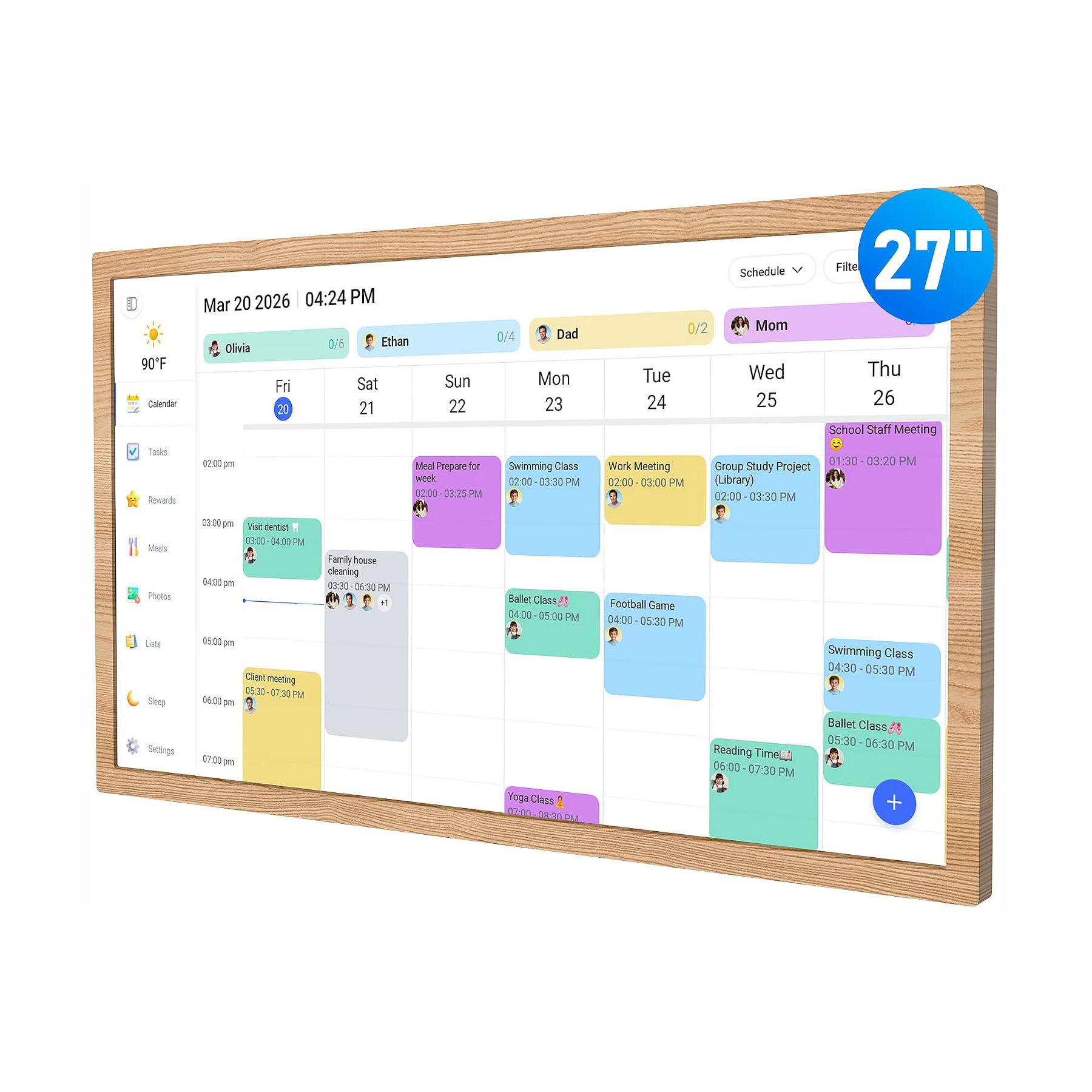
27 Inch Interactive Touchscreen Digital Calendar – Family Chore Chart & Smart Planner with Seamless Scheduling Teak Wood
$389.00 USD
$499.00 USD
Shipping fees will be calculated at checkout.
-
Free worldwide shipping
-
Free returns
-
Carbon neutral
-
Secure payments
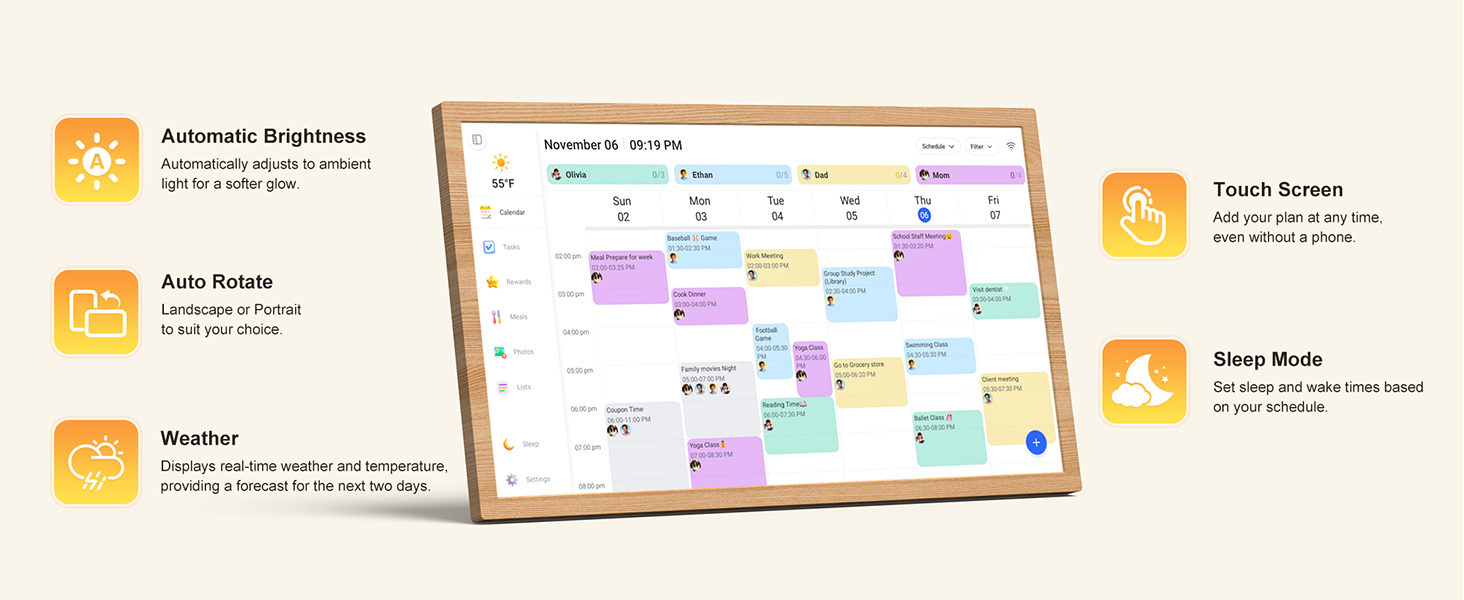
- All-In-One Smart Family Calendar – This digital frame keeps every family schedule neatly organized and tracked on a crystal-clear 27-inch touchscreen. Give each family member their own color and tasks, making scheduling simpler, clearer and more intuitive for everyone.
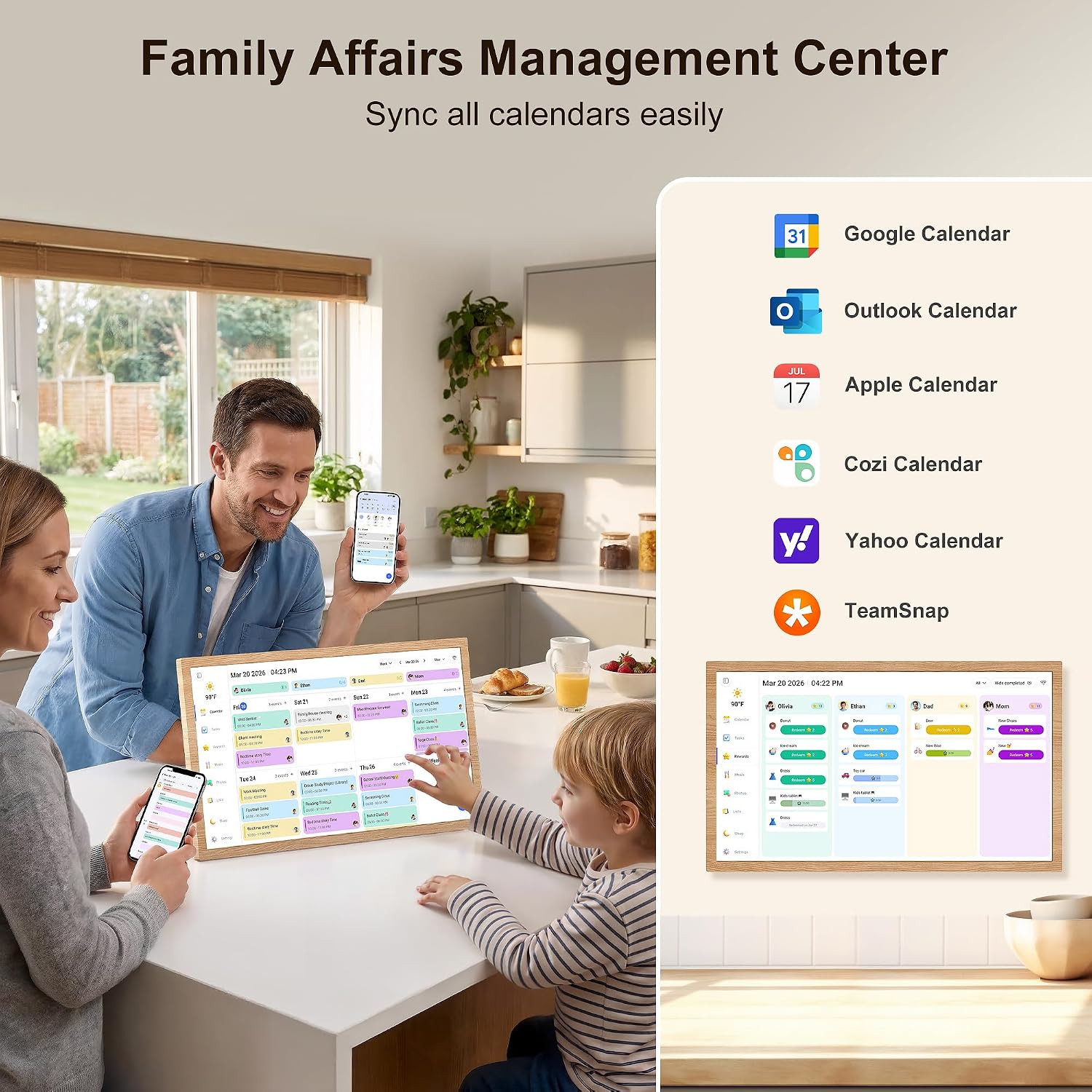
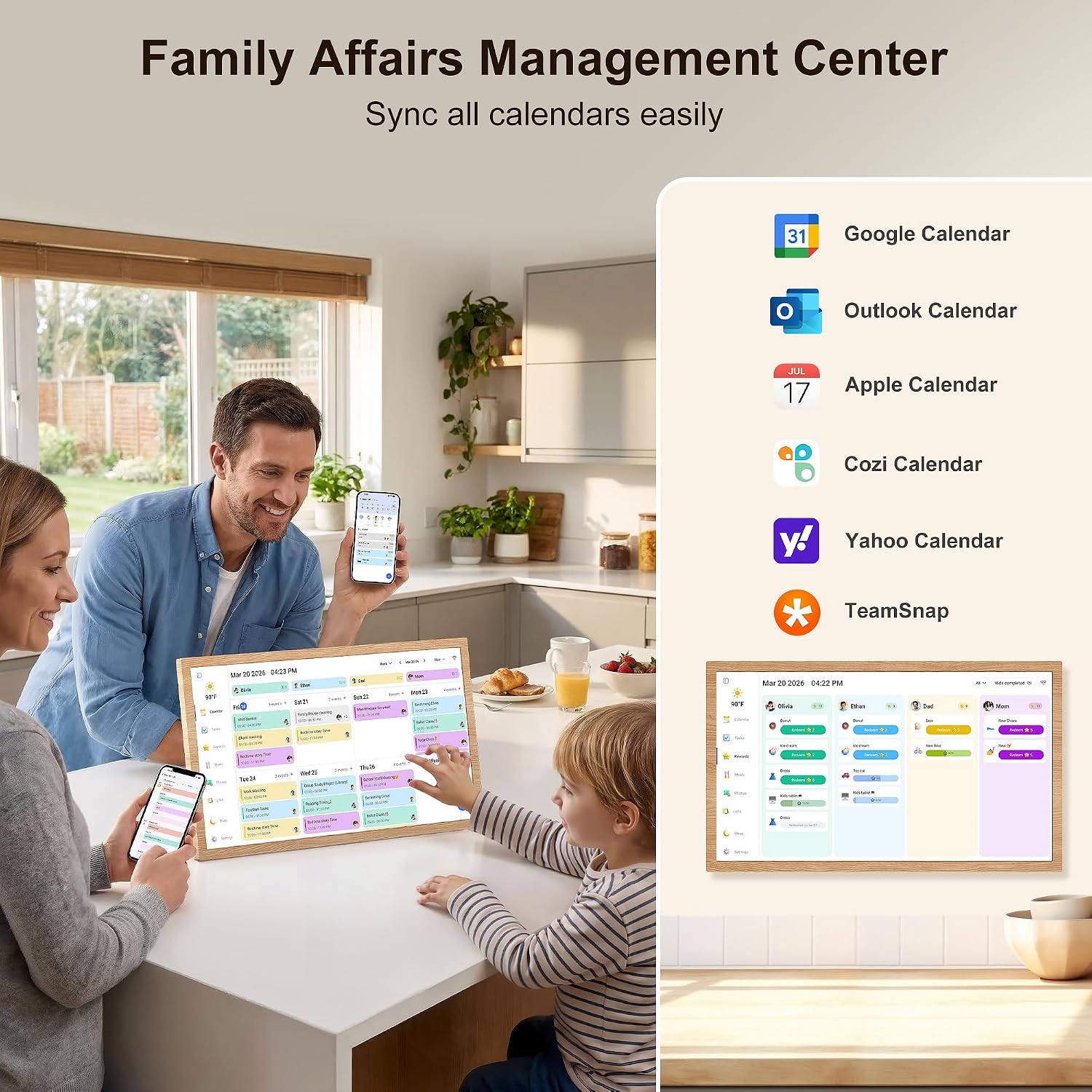
- Easy Setup & Auto-Sync – Get started in minutes with a user-friendly design: just plug in, connect to Wi-Fi and link your calendar to the mobile app. After syncing, multiple personal calendars (iOS, Google, etc.) merge into one unified view, and you can authorize extra devices for even more convenience.
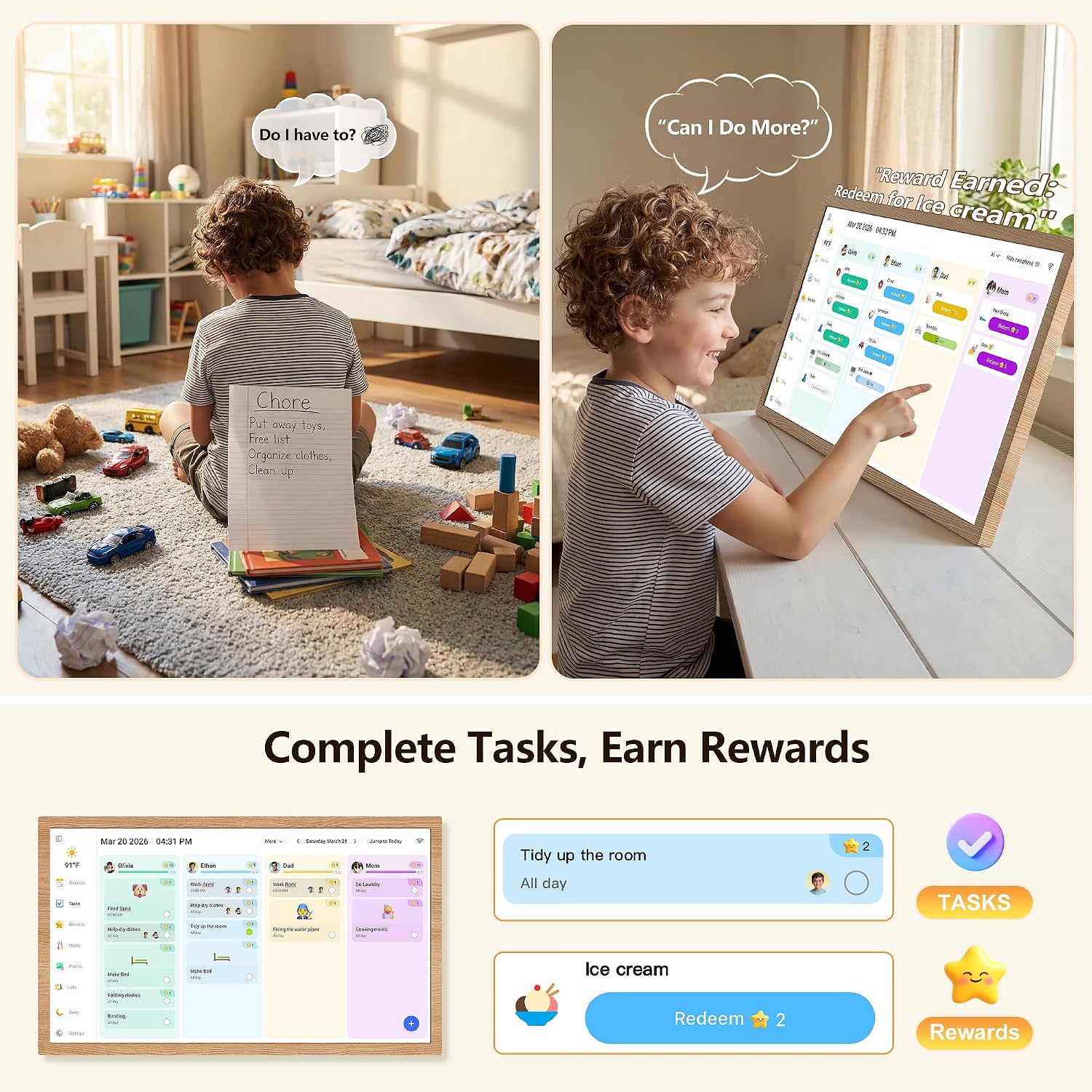
- Interactive Chore Chart & Dinner Planner – Keep housework organized and motivate family members—especially kids—to build healthy habits with an interactive chore chart. Post your family's dinner plans so everyone stays informed and the daily "What should we eat?" question becomes a thing of the past.
- Manage from Anywhere – Stay connected through the powerful companion app and access or manage your calendar on the go. Free features include a photo frame, chore chart, dinner plan, grocery list and more, while advanced paid tools such as Magic Import are tailored for users with special needs.
- Elegant Digital Photo Frame Mode – When the calendar isn't in use, turn it into a stunning digital picture frame. Showcase cherished family photos on the clear touchscreen, adding a refined, contemporary touch to any room as modern home decor.


You may also like
FAQs
Q1. Does it have to stay connected to Wi-Fi, and what happens if the internet goes out?
Yes, Wi-Fi is required for initial setup and for syncing with your phone calendar. If the internet drops, the screen will still display all your existing events as normal — you just won't receive new updates until the connection comes back.
Q2. Is the text big enough for elderly people or to read from across the kitchen?
Yes. The large high-definition touchscreen is designed for at-a-glance viewing from across the room. Event titles, times, and the day/date are rendered in large, high-contrast type, and the screen brightness is adjustable for both bright daylight and dim evening rooms.
Q3. Can I use it without a smartphone, or do I need to download an app?
You can add and view events directly on the touchscreen right out of the box. The mobile app is optional but recommended — it's what lets you sync your existing Google/iCloud/Outlook calendar, invite family members, and add events remotely when you're not at home.
Q4. How is it powered? Is there a battery, and how long is the power cord?
It needs to stay plugged into a standard wall outlet at all times (it does not run on a built-in battery). This is intentional — so the calendar is always on, always updated, and no one ever has to remember to charge it.
Q5. What's included in the box, and what's your return policy?
The package includes the digital calendar display, a wall-mount bracket, the power adapter, and a quick-start guide. We offer a 30-day refund guarantee and lifetime customer support — if anything goes wrong, email us at support@nexoravue.com (Mon–Sat, 6:00 a.m.–5:00 p.m. PDT).